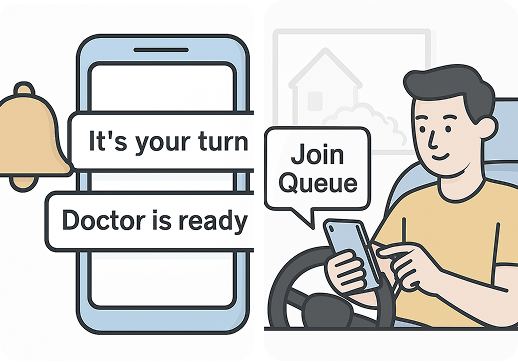
Skip the wait!
Get in line from
anywhere

Manage hospital visits with ease - book appointments, track
queues in real time, receive updates, and reduce wait times for a
smoother healthcare experience.

hero-pic

Who Is This For?

patients

Patients

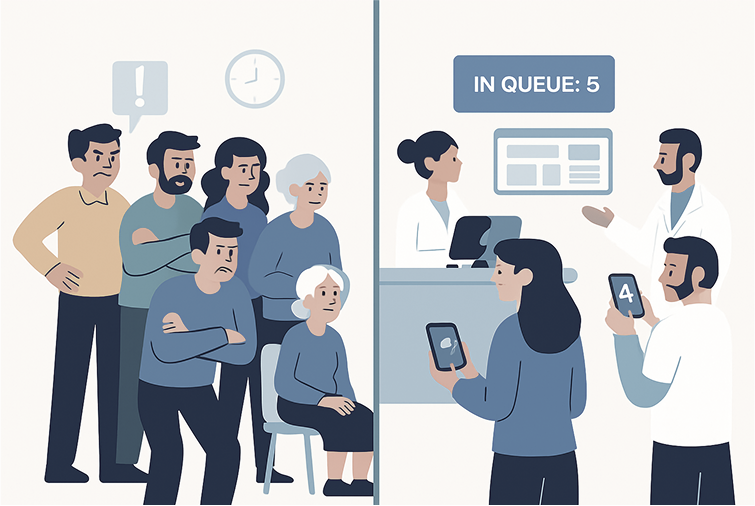
Book appointments, track your place in line, receive real-time updates, and avoid long waits times - all from the comfort of your device.

staff

Hospital Staff

Seamlessly manage queues, monitor patient flow in real-time,prioritize cases, and improve the overall care experience

Key Features

feature-img
timer

Real - Time Queue Tracking

Monitor patient queues and keep everyone informed with accurate wait time updates.

event_available

Digital Booking & SMS Alerts

Book appointments from anywhere and receive automatic reminders right on your phone.

groups

Role - Based Dashboards

Customized access for patients, staff, and doctors to manage tasks efficiently.

chair

Smart Waiting Area Management

Reduce congestion by guiding patients to the right place at the right time.

star

Feedback Collection System

Gather patient feedback to improve hospital service and overall experience.

How it Works?

1

account_circle

Sign Up

Create an account as a patient or hospital staff.

2

date_range

Book or Manage

Patients book appointments, staff manage queues effortlessly.

3

notifications

Stay Updated

Get real-time alerts, wait times, and important notifications.

Why Choose Qure?

Designed to save time, reduce stress, and improve care for everyone.

Frequently asked questions

Frequent-picture

Q1: How do i join a hospital queue?

You can join a queue by creating an account, logging in, and selecting the hospital and department you wish to visit. Your position in the queue will be displayed in real time.

Q2: Can i track my queue status remotely?

Yes! After joining a queue, you can check your status through the app or website anytime, and receive updates when it's your turn.

Q3: What if i miss my turn?

If you miss your turn, you can notify the hospital staff via the Contact Us page or by calling them. They will advise you on the next available slot or reassign you in the queue.

Q4: Can I book appointments in advance?

Absolutely. You can book appointments for available slots in different departments, reducing your wait time.

Q5: How do I update my contact information?

Go to your profile in the app or website, and update your phone number or email. Make sure it's correct to receive real - time notifications

Q6: What should i do if the system isn't working?

Contact Customer Care via live chat, call, or email. You can also submit a support ticket through the app, and a staff member will assist you promptly.

Qure Logo Qure